How to Clip a 6-Hour Twitch or Kick Stream in 20 Minutes
A step-by-step workflow for turning long Twitch, Kick and YouTube streams into vertical clips: finding moments with chat and audio spikes, facecam layouts, captions, hooks and posting.
By the Salvo Team
5 min read
Updated
On this page
- Before you start: permission and the VOD
- Step 1 (5 minutes): let the signals find the moments
- Step 2 (5 minutes): triage ruthlessly
- Step 3 (5 minutes): frame for vertical
- Step 4 (3 minutes): trim, caption, hook
- Step 5 (2 minutes): schedule the batch
- After posting: learn from the batch
- Why "20 minutes" is realistic
Streams are the best raw material in clipping and the most painful to work with. A six-hour broadcast might hold ten great moments, buried between queue times, bathroom breaks and long stretches of "chat, what should we do next?". Scrubbing through it by hand takes longer than the stream did.
This is the workflow we use to go from a fresh VOD to a batch of scheduled clips in about the time it takes to drink a coffee. It works whether you clip by hand or with a tool, but we'll show where a tool saves the most time.
Before you start: permission and the VOD
- Get permission. Many streamers run clipping programs or official clipper channels in their Discord. Use those. If there's no program, ask. (More in how to start clipping.)
- Work from the VOD, not the live stream. VODs give you the whole timeline and, on Twitch and YouTube, the chat replay, which is the single best signal for where the moments are.
- Grab it early. Streamers sometimes delete or mute VODs, and platforms only keep them for a limited time. Import while it's fresh.
Step 1 (5 minutes): let the signals find the moments
A good moment in a stream almost always leaves traces:
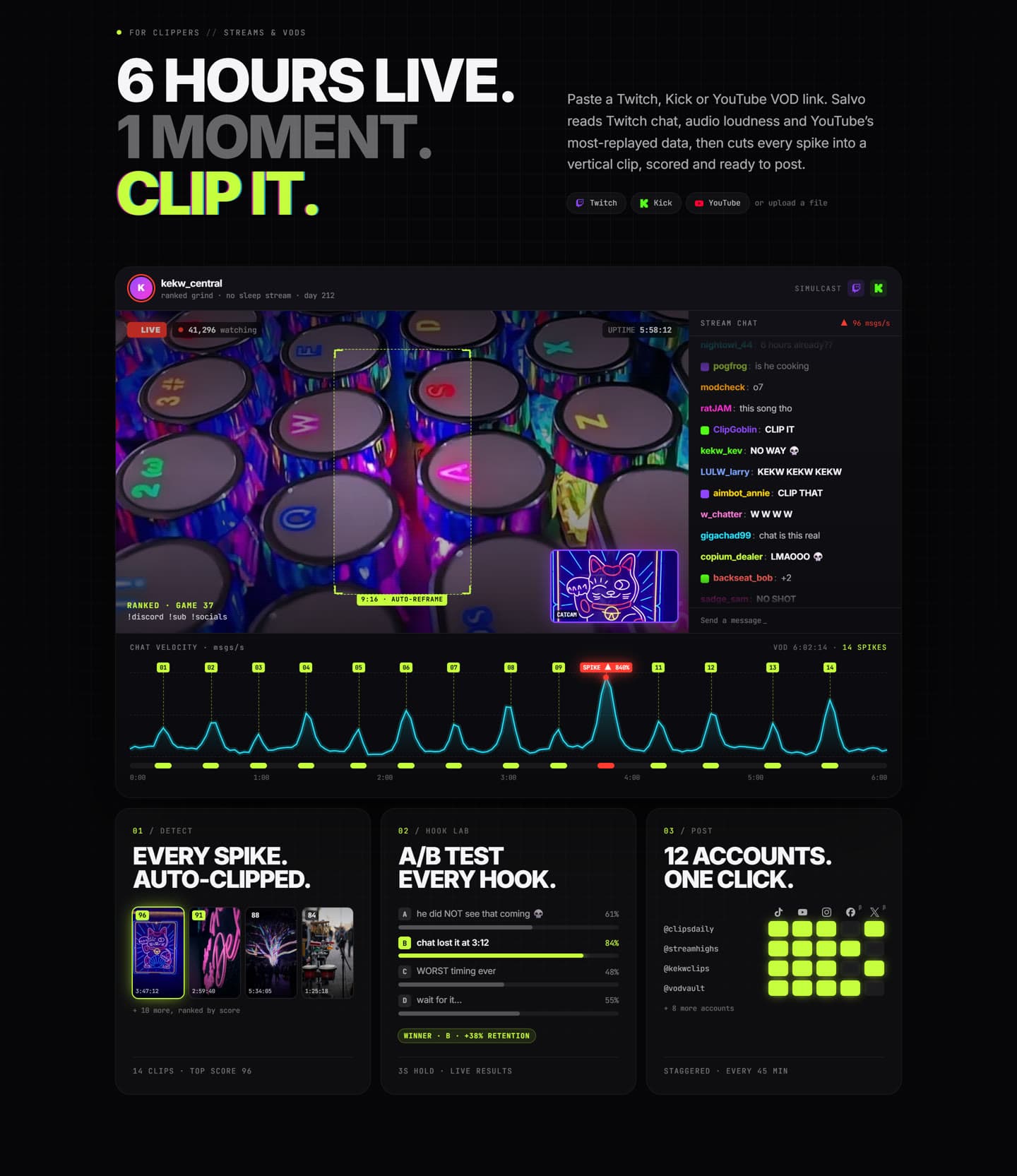
- Chat spikes. Message rate jumps when something happens: emote spam, "CLIP IT", "NO WAY". A graph of messages per second over the VOD looks like a heartbeat, and the tall peaks are where you start.
- Loudness jumps. Screams, laughter, a sudden silence. Audio level over time is a second, independent signal, and it works when chat replay isn't available.
- Most-replayed data. For YouTube VODs, the "most replayed" graph shows where viewers rewatched.
- Transcript keywords. Phrases like "no way", "let's go", "I can't believe" or the streamer's catchphrases.
By hand, you can open the chat replay at high speed and note timestamps, but it's slow. In Salvo you paste the Twitch, Kick or YouTube link and it does this pass for you: it reads Twitch chat (and YouTube live chat replay), loudness and YouTube's most-replayed data, transcribes the audio, and cuts each spike into a vertical clip. For Kick, where chat replay isn't available, it relies on loudness and the transcript.
Step 2 (5 minutes): triage ruthlessly
You'll have more candidate clips than you can post. Sort them fast:
- Does it make sense with zero context? Most of your viewers have never seen this streamer. If the moment needs five minutes of backstory, skip it or save it for the streamer's existing fans.
- Is the payoff on screen? A huge chat reaction to something off-camera (a donation alert, a Discord call) often doesn't land.
- Is there a face? Reaction clips without the reaction are half a clip.
Salvo gives each clip a 0-100 score with a breakdown (hook, pacing, emotion, clarity, length, captions and trend fit) and a one-line explanation, so you can sort the batch by score and spend your attention on the top of the list. Treat it as a first opinion, not a verdict: you know the streamer's audience better than any score does.
Step 3 (5 minutes): frame for vertical
Stream footage is 16:9 with a facecam box in a corner. Squashing that into a 9:16 phone screen leaves a tiny game and an even tinier face. The fix is a layout:
- Stacked: facecam on top, gameplay below. The classic streamer clip.
- Gameplay with a picture-in-picture cam: for clips where the game is the story.
- Full facecam: for pure reaction moments.
In Salvo you mark the facecam once per VOD (or let it try to detect it) and apply a layout preset to every clip at once. Captions automatically move out of the way if they'd cover the cam.
Step 4 (3 minutes): trim, caption, hook
For each clip you keep:
- Trim the start to the first frame where something is happening. Cut the "okay so" and the loading screen.
- Trim the end right after the payoff. Let the reaction breathe for a second, then stop.
- Captions on, big and high-contrast. Gaming audio is chaotic; captions carry the story.
- Write the on-screen hook, under ten words. "Chat called it 10 seconds early" beats "Crazy moment!!". Our hook-writing guide has 25 templates.
If you want to go faster still, Salvo's One Shot lets you describe the edit in plain English ("tighten the start", "add a punch-in on the reaction", "boxed captions"), optionally pick a style preset and target length, and an AI agent edits the clip. You review the result in the normal editor and keep it or delete it. The clip stays locked while One Shot works, so nothing changes under you, and you can duplicate it if you want to keep editing in the meantime.
Step 5 (2 minutes): schedule the batch
Don't post ten clips at once. Spread them out:
- Stagger posts by 30 minutes to a few hours so they don't compete with each other.
- Spread across accounts if you run several pages, and don't post the identical video everywhere. Give each account its own hook or caption style.
- Mind the clock. Post when the streamer's audience is awake, which is often not when you finished editing.
Salvo's Blast lets you pick the clips and accounts and set the gap (15 minutes to 3 hours), and generates a different hook and caption style for each account's version. TikTok, YouTube Shorts and Instagram Reels publish automatically; Facebook, X and LinkedIn are in beta.
After posting: learn from the batch
Every VOD is a chance to learn what this streamer's audience reacts to. A day after posting, look at:
- Which clips held viewers past the first few seconds.
- Which hooks worked, and whether they had something in common.
- Which moments did badly despite a big chat spike. These usually needed context.
If two hooks for the same clip seem equally good, test them. That's the job of Hook Lab.
Why "20 minutes" is realistic
The time sink in stream clipping was never the editing. It was finding the moments. Once software handles the first pass (chat, audio, most-replayed, transcript), your job becomes choosing, polishing and posting. That's the part that needs a human, and it's the part that actually decides whether a clip does well.
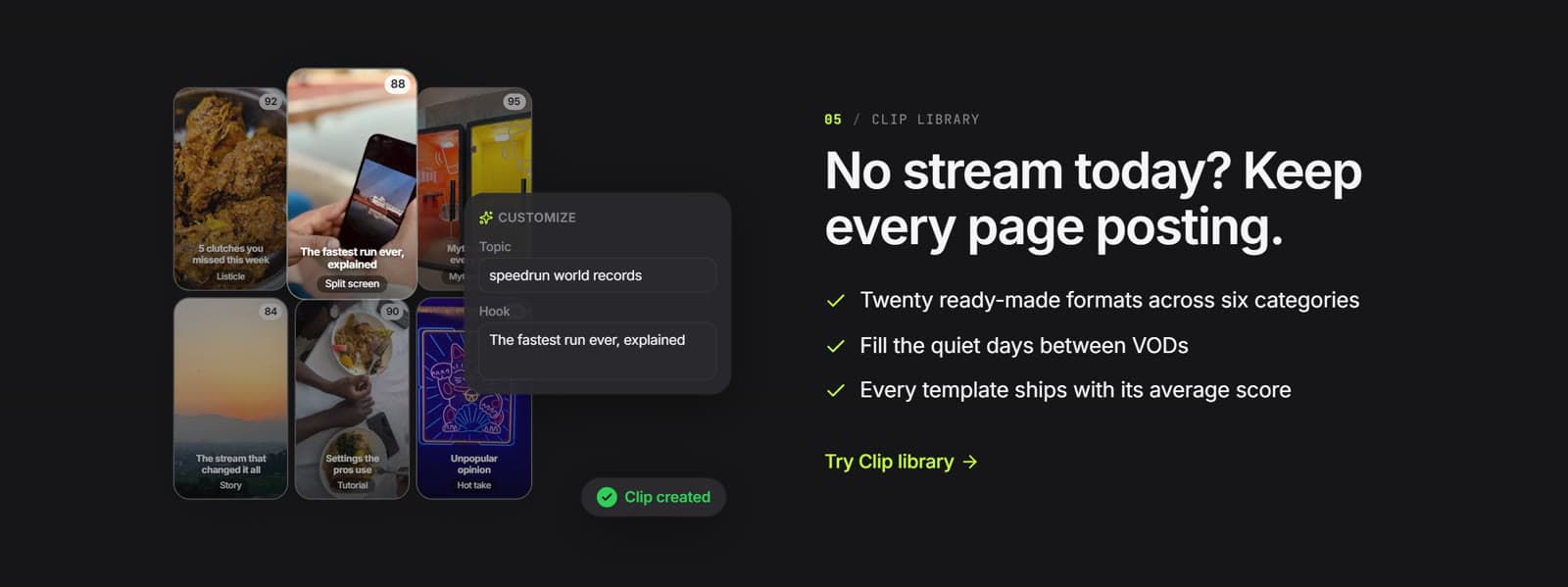
No stream today? Salvo's clip library has ready-made formats you can fill with your own footage, so your pages keep posting between VODs.